Maintaining a digital printing machine is essential for optimal performance. Many users struggle with this aspect. Knowing how to maintain a digital printing machine can extend its lifespan and improve print quality. Regular maintenance prevents costly breakdowns and ensures consistent results.
To effectively care for your equipment, start with routine cleaning. Dust and debris can harm print heads and reduce quality. Use proper cleaning supplies specifically designed for digital printers. Many operators neglect this step, leading to issues that could be easily avoided.
Additionally, periodic checks on ink levels and print head alignment can save you time and frustration. Being proactive in these areas enhances reliability. It’s important to stay aware of the machine's needs. Small actions can prevent larger, costly repairs later.
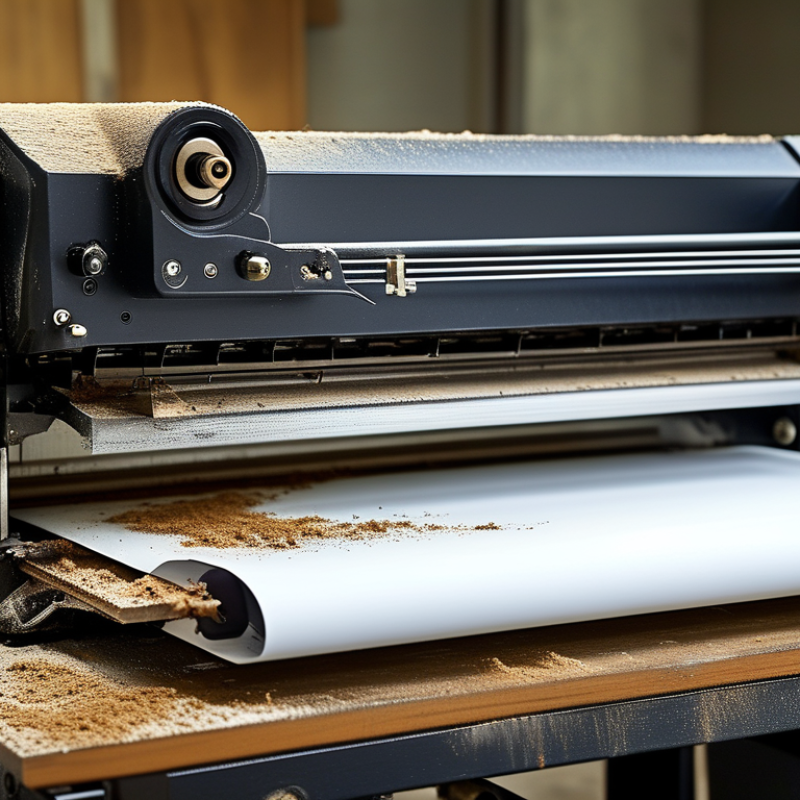
Regular maintenance is essential for digital printing machines. It not only prolongs the life of the equipment but also ensures high-quality output. When machines are well-maintained, they operate more efficiently. This leads to fewer interruptions and better overall productivity.
Tips for maintaining your digital printing machine include cleaning the print heads regularly. Accumulated ink can cause clogs and impact print quality. Use a soft, lint-free cloth to wipe the surfaces. Also, keep the machine in a dust-free environment. Dust can settle inside and cause malfunctions over time.
Another important step is to check for software updates. Outdated software can result in performance issues. Regularly review the manufacturer's guidelines for preventive maintenance. Sometimes, it’s easy to overlook small details. Neglecting them can lead to bigger problems later. A proactive approach helps avoid costly repairs.
Regular maintenance is crucial for digital printing machines. Key components should be inspected to ensure optimal performance. One vital area is the print head. Clogged nozzles can lead to poor print quality. Running a cleaning cycle regularly can help prevent this issue.
Another essential part is the rollers. They transport paper through the machine and can accumulate dust and debris. Inspecting them for wear and keeping them clean is necessary. A dirty roller can cause smudges and misaligned prints. Don't overlook the ink cartridges. Low or old ink can lead to inconsistent colors. Check levels frequently to avoid surprises during a job.
Routine checks can identify potential problems early. However, it's common for users to skip these steps when busy. This can lead to more significant issues down the line. A minor mistake today could result in costly repairs tomorrow. Continuous learning about your machine will enhance its longevity and reliability.
Cleaning your digital printing machine is essential for optimal performance. Regular maintenance can significantly affect print quality and machine longevity. Accumulated dust or ink can cause problems. Therefore, a detailed, step-by-step cleaning process is crucial.
Begin by turning off the machine and unplugging it. This ensures your safety. Use a soft cloth to wipe the exterior surfaces. Pay attention to areas where ink may accumulate. For the internal components, carefully access the print head and wiping pads. A lint-free cloth is ideal for this. Gently remove any residue, but avoid excessive force. This may lead to unintended damage.
Next, clean the paper path. Dust and debris can lead to paper jams. Use a vacuum or compressed air to eliminate buildup. Remember to inspect the rollers. They need maintenance too. You should regularly check for signs of wear. Reflect on the entire process after cleaning. It's easy to overlook some areas, but thoroughness matters. A well-maintained machine leads to better results. Each step requires care and attention. Be diligent to avoid common pitfalls in maintenance.
Digital printing machines are essential tools in modern printing environments. However, they can face various issues that disrupt workflow. Understanding common problems can lead to effective solutions.
One common issue is paper jams. To troubleshoot, check the paper path for debris. Ensure all guides are adjusted correctly. Use high-quality paper to minimize jams. It's essential to clean rollers regularly. Dust can accumulate and cause misfeeds.
Another frequent problem is color inconsistency. Calibrate your machine periodically to maintain accurate colors. Use the correct settings for each job. If colors are still off, check the ink levels. Inadequate ink can lead to faded prints.
Keep an eye on error codes displayed on your machine. These codes can guide you to specific issues. Consult your user manual for interpretations. Regular checks and maintenance prevent many issues before they escalate. Prioritizing these practices enhances reliability and efficiency.
Preventive maintenance is crucial for digital printing machines. Regularly scheduled maintenance helps identify and fix issues before they escalate. Establish a maintenance calendar to monitor tasks. This includes routine cleaning, inspection, and part replacement. Allocate time every month to review your equipment’s performance.
Keep track of usage patterns to inform your schedule. For instance, higher production volumes may necessitate more frequent check-ups. Document each maintenance session; this builds a reliable history of your machine’s needs. Pay attention to minor abnormalities that could signal bigger problems. A small ink smudge may indicate a clogged nozzle. Address small issues early to prevent major downtime later.
Involve your team in the maintenance process. Training staff on basic upkeep will create a culture of care. Encourage them to report any unusual behavior immediately. This collaborative approach improves machine reliability. Remember, maintenance isn’t a one-size-fits-all task. Each machine has unique requirements. Regularly evaluate and adjust your schedule for optimal performance.
: Regular checks are crucial. Ideally, inspect your machine weekly or monthly, based on usage.
Focus on the print head, rollers, and ink cartridges. Check for clogs, dirt, and low ink levels.
Dirty rollers can cause smudges and misaligned prints. Keeping them clean ensures better print quality.
Run regular cleaning cycles on the print head. This helps prevent clogged nozzles and improves quality.
Check the paper path for debris and adjust the guides. Clean the rollers regularly to minimize jams.
Calibrate your machine regularly and check ink levels. Adjust settings according to each job for best results.
Error codes can indicate specific issues. Consult your user manual for guidance on interpreting these codes.
Skipping checks can lead to significant issues later. A minor mistake now could result in costly repairs later.
Maintaining a digital printing machine is crucial for ensuring optimal performance and longevity. Regular maintenance helps prevent costly repairs and downtime while enhancing print quality. Understanding the key components to inspect during routine maintenance checks, such as print heads, ink cartridges, and rollers, is essential. A step-by-step guide for cleaning the machine can significantly contribute to its efficiency. Additionally, implementing best practices for troubleshooting common issues can empower operators to resolve problems swiftly and effectively.
To maximize the lifespan and functionality of your digital printing machine, scheduling preventive maintenance is highly recommended. Develop a maintenance calendar and adhere to it diligently. By following these guidelines on how to maintain a digital printing machine, operators can ensure consistent output quality and reliable operation, ultimately leading to greater productivity and success in their printing endeavors.

Colvanta Print